
New! Check Open Graph links & debug deep links on our website for free

We've added two more free tools to the Short.io Tools tab — an “Open Graph checker” and a “Deep links debugger”. If you share links on social media or route users into mobile apps, these are for you.
No sign-up, no limits, and available right now.
Open Graph checker
You drop a link on LinkedIn, Slack, wherever, and it’s all wrong. Wrong image, missing description, naked URL with no preview at all.
That's an Open Graph (OG) problem.
Here’s where the discrepancy happens.
Pages use meta tags as HTML elements in order to tell platforms like Facebook, X, LinkedIn and messaging apps what title, description, and image to show when someone sees your link.
If those meta tags are misconfigured or missing, your link previews suffer — and so does your click-through rate.
Which is why we made our Open Graph checker.
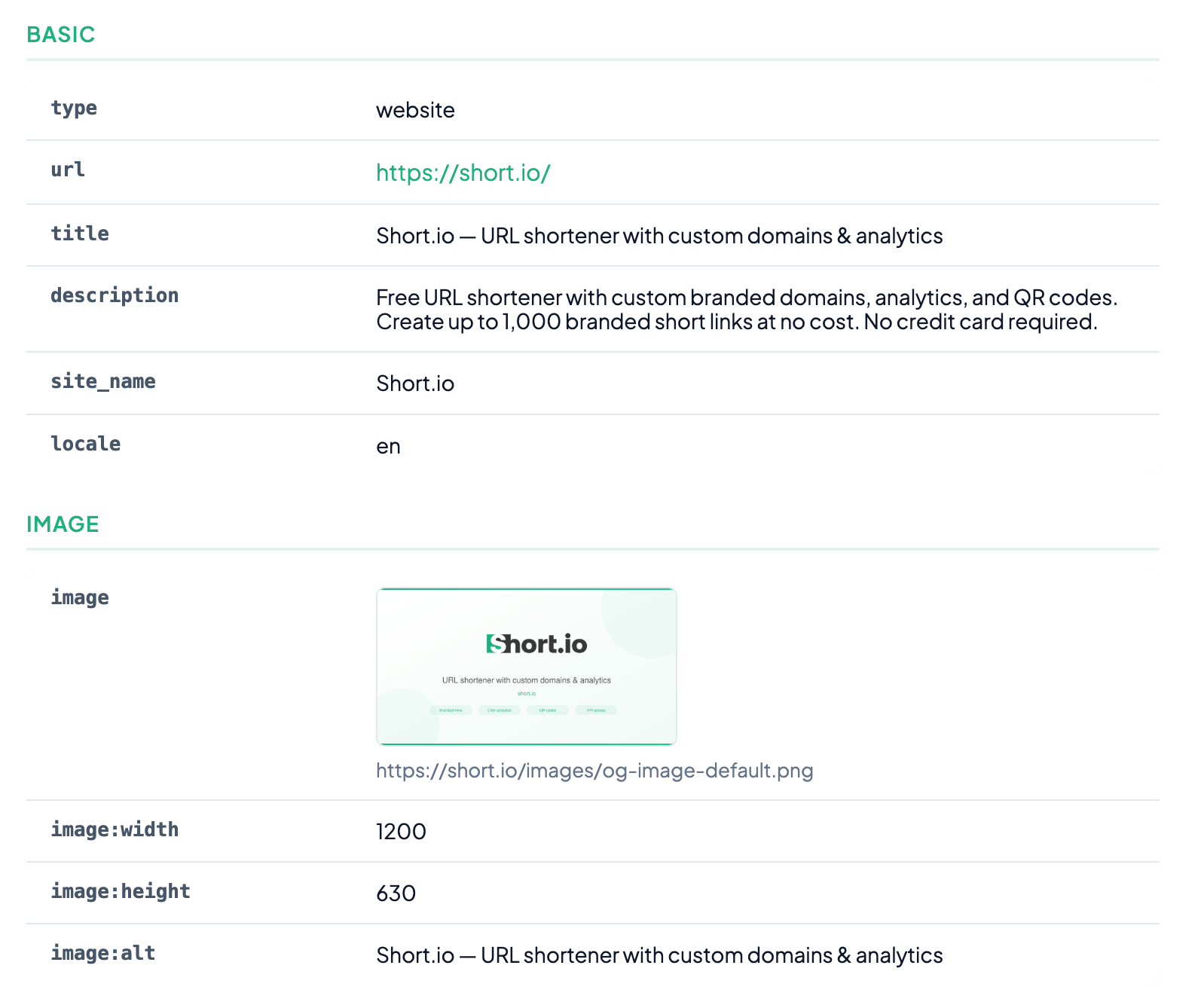
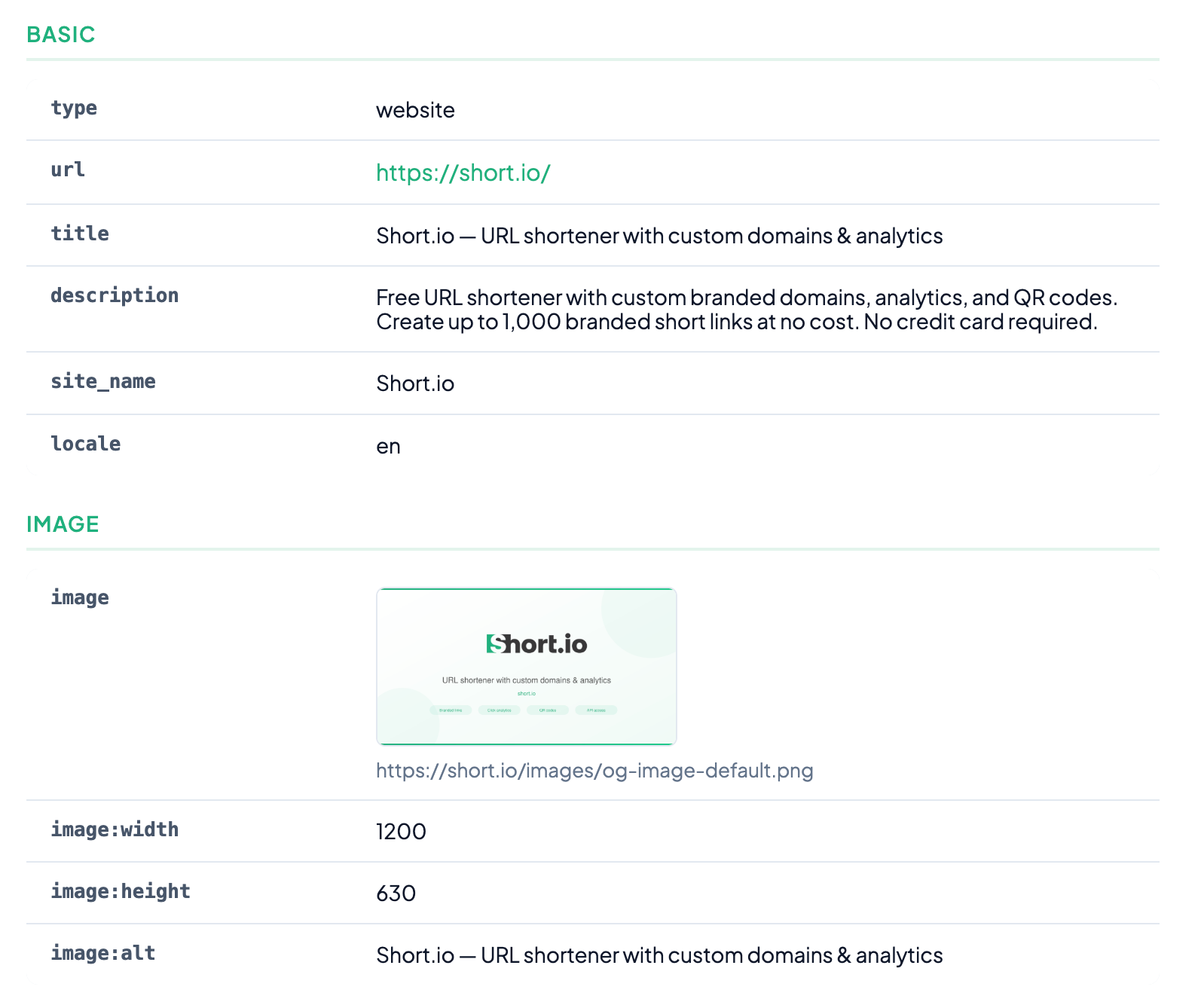
Paste any URL and instantly see every OG tag the page returns. You get a live social media preview showing exactly how the link will look when shared, plus:
- Social media preview
- Page title
- Type (Website, article, video, music, profile, product, book, etc.)
- URL
- Title
- Description
- Site_name
- Locale
- Image
- Image proportions
- Alt text
It’s a fast way to catch issues before you push a campaign live.
Missing image? Description truncated in a weird spot?
Now you’ll know.
It takes two seconds, and it can save you from sharing links that look broken or unprofessional.
For developers, Short.io also offers an OpenGraph API to manage OG tags programmatically on your short links.
Deep links debugger
Deep links are great — when they work. And when they don’t, the debugging process is genuinely painful.
For the uninitiated: deep links are URLs that open content directly inside a mobile app instead of the browser. Both use configuration files which are hosted on your domain.
- On iOS, this works through Universal Links (powered by the apple-app-site-association file).
- On Android, deep links are called App Links (which are powered by an assetlinks.json file).
When everything is configured correctly, tapping a regular HTTPS link launches the right app and lands the user on the right screen.
When it's not configured correctly, users end up in a browser wondering what happened.
If you’re not sure what all of this means, ask your dev. But either way, an incorrectly set up deep link is not just a waste of time. It’s actively damaging to your brand. After all, why should your user trust you if you don’t put in the effort?
Alright, so what can you do?
That’s the problem our Deep links debugger solves.
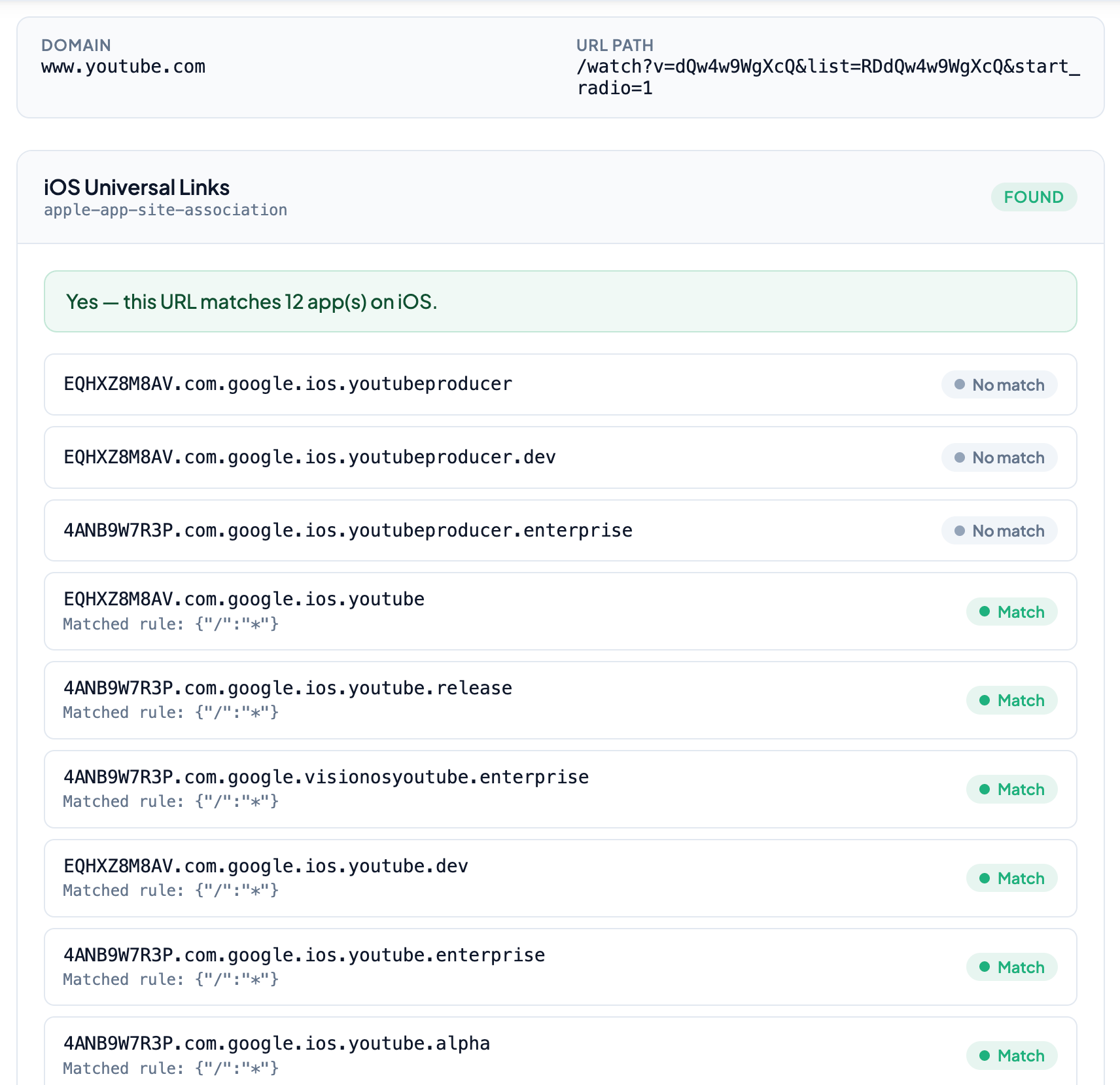
It covers:
- Team ID/SHA256 fingerprint (Verifies that the app was actually built by the claimed developer — Apple uses “Team ID”, Android uses a cryptographic fingerprint)
- Bundle ID/Package name (The unique identifier for each app — like com.google.ios.youtube)
- Match/No match (Whether the app's path rules apply to the specific URL you entered)
- Option to view the raw JSON file itself
In simple terms, “Deep links debugger” takes any URL and inspects both sides of the equation.
Whether the domain has a valid JSON file, whether it contains matching entries, and which specific rules are enabled. While the names of things are different between iOS and Android — and there are slight nuances in how they work — the main idea is the same.
Set things up a certain way, host it on your domain, aim them toward your apps. That’s it.
If something's missing — no association file published, no matching path rules, no app statements — the debugger tells you exactly what's wrong and why the link won't open in an app.
This is particularly useful if you're setting up deep linking for the first time or troubleshooting why deep links suddenly stopped working after deployment.
Instead of manually rummaging through JSON files, you get a clear, structured breakdown of everything the OS will see when a user taps your link.
Use them together
The workflow for mobile campaigns is straightforward.
- Check your OG tags with “Open Graph checker” to make sure your link previews look right.
- Verify your deep link configuration with the “Deep links debugger” to make sure those links actually open in your app
Social preview and app routing — validated in under a minute.
Both tools are free and live right now.
And if you want Short.io to host your apple-app-site-association and assetlinks.json files on your branded short domain — so every link you share opens straight in your iOS or Android app — you can set that up from your dashboard.
Create a free account to get started.